
To run Star Citizen smoothly, your system must meet specific hardware requirements. Make sure your CPU, GPU, and RAM are up to the task. For optimal performance, focus on a powerful processor with multiple cores and a high-end graphics card.
CPU: Aim for a modern multi-core processor, such as the Intel Core i7 or AMD Ryzen 7. These will handle the game’s complex tasks, including the physics simulations and large environments.
GPU: A dedicated graphics card, such as the NVIDIA GeForce RTX 3070 or AMD Radeon RX 6800, is essential. Star Citizen demands a significant amount of GPU power for its stunning visuals and smooth frame rates.
RAM: At least 16 GB of RAM is necessary. The game’s data-heavy nature can overload systems with less memory, causing lag and crashes.
Star Citizen Specs
For smooth performance in Star Citizen, meeting the minimum or recommended specifications is necessary. For high-quality visuals and stable gameplay, consider upgrading your system according to these benchmarks.
Minimum Requirements
- Operating System: Windows 10 (64-bit)
- Processor: Intel Core i5-2500K or AMD Ryzen 5 1600
- Memory: 16 GB RAM
- Graphics: Nvidia GTX 1050 Ti or AMD Radeon RX 580
- Storage: 70 GB available space (SSD recommended)
- DirectX: Version 11
Recommended Requirements
- Operating System: Windows 10 (64-bit)
- Processor: Intel Core i7-7700 or AMD Ryzen 7 2700X
- Memory: 32 GB RAM
- Graphics: Nvidia RTX 2070 or AMD Radeon RX 5700 XT
- Storage: 70 GB available space (SSD)
- DirectX: Version 12
Optimal Performance Settings
- Operating System: Windows 11 (64-bit)
- Processor: Intel Core i9-11900K or AMD Ryzen 9 5900X
- Memory: 64 GB RAM
- Graphics: Nvidia RTX 3080 or AMD Radeon RX 6800 XT
- Storage: 100 GB SSD (NVMe recommended)
- DirectX: Version 12
For the best gaming experience, consider using a high refresh rate monitor, a good gaming headset, and fine-tuning your settings to balance performance and visual quality.
Minimum System Requirements for Running Star Citizen
Operating System: Windows 10 (64-bit) is required to run Star Citizen. Ensure your system is up to date with the latest updates to avoid compatibility issues.
Processor: A minimum of an Intel Core i5-2500K or AMD Ryzen 5 1600 is needed. The game demands a solid multi-core processor to handle its complex physics and vast world.
Memory: 16 GB of RAM is the minimum requirement. Running with less memory can result in slow performance or crashes, especially during large-scale space battles or planet transitions.
Graphics Card: A DirectX 11 compatible GPU such as the Nvidia GTX 1060 or AMD Radeon RX 580 is necessary for acceptable frame rates. Using lower-spec cards may lead to poor graphical performance.
Storage: A minimum of 70 GB of free storage space is required. Keep in mind that Star Citizen is continuously updated, and more space will be necessary as the game expands.
Internet Connection: A stable and fast internet connection is crucial. The game requires an active online connection for both single-player and multiplayer modes, and poor connectivity will significantly affect performance.
DirectX: DirectX 11 is required to ensure proper compatibility with the game’s rendering and graphic features. Make sure your system has the correct version installed.
Optimal Settings for Star Citizen on High-End PCs
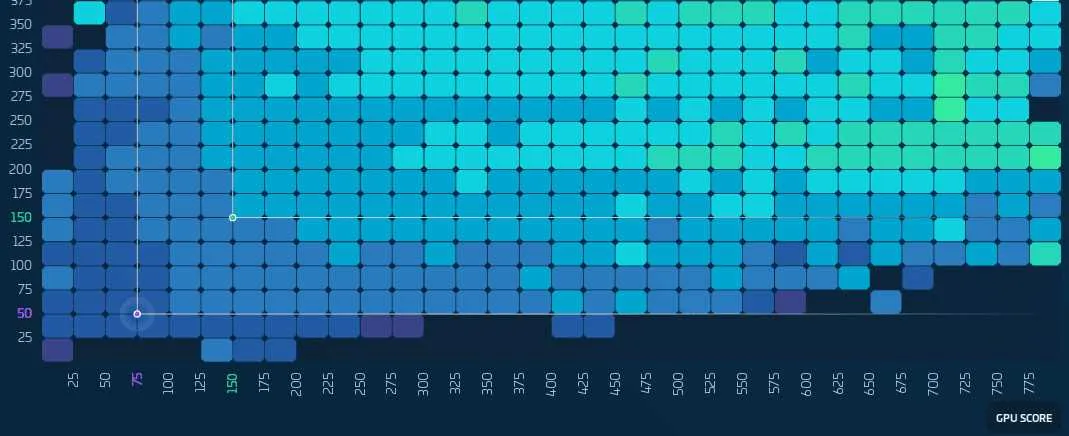
For high-end PCs, maximizing Star Citizen’s performance and visual quality relies on adjusting a few key settings. Begin by enabling DirectX 12 for better CPU and GPU performance. This allows for improved resource distribution across multiple cores.
Next, set Resolution to your monitor’s native setting, typically 1440p or 4K for the sharpest visuals. Enable V-Sync to prevent screen tearing, but only if your system can maintain a consistent frame rate above 60 FPS. For faster performance, you can disable it if necessary.
In Graphics Settings, use the Ultra preset for the highest detail, but adjust specific features for smooth gameplay. Turn down Object Detail and Cloud Quality if frame rate dips below your target.
For the Anti-Aliasing, enable TAA (Temporal Anti-Aliasing) for smoother edges without too much performance loss. Adjust the Shadow Quality to Medium or High to balance visual fidelity and system load. High-end PCs can handle Ultra, but it may impact FPS during heavy moments.
Set Texture Quality to Ultra for the best visual experience, as high-end systems can easily manage the large textures. Be mindful of the Terrain Quality, lowering it can improve performance in large open-world sections without sacrificing too much visual quality.
Finally, turn off Motion Blur and Depth of Field to improve clarity and overall performance. These effects are visually appealing but often come with a significant performance cost.
How to Upgrade Your PC for Better Star Citizen Performance
Upgrade your CPU to improve overall processing power. A high-performance processor like an AMD Ryzen 9 or Intel Core i9 ensures smoother gameplay and better frame rates, especially during complex simulations.
Boost your RAM capacity to at least 32GB. Star Citizen requires a large memory pool for seamless multitasking and preventing stutters during gameplay, particularly in large-scale space battles or detailed environments.
Invest in a powerful graphics card such as the NVIDIA RTX 3080 or AMD Radeon RX 6800 XT. These GPUs provide excellent rendering power for the expansive visuals in Star Citizen, ensuring smoother graphics and higher frame rates at higher resolutions.
Consider using an SSD for your storage. The game benefits from faster load times and reduced stuttering when assets are quickly loaded from storage. Opt for an NVMe SSD to ensure the fastest data transfer rates.
Upgrade your cooling system to manage the heat generated by high-performance hardware. A reliable air or liquid cooling solution will keep temperatures in check during intense gameplay sessions.
Ensure your motherboard supports the latest hardware and is compatible with future upgrades. A motherboard with PCIe 4.0 support ensures the fastest data transfer speeds for new GPUs and storage devices.